Agricultural Land Reserve Maps
Is my property in the ALR?
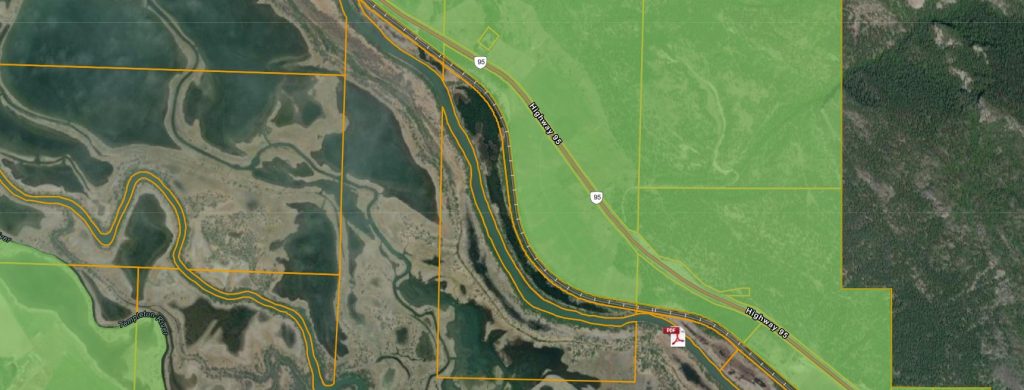
Find out if a property is within the ALR by using the ALR Property and Map Finder. This interactive web map allows searching by PID (9 digit Property Identifier) or civic address to locate a property and view its ALR status.
The official 1:20,000 ALR mapsheets are available for download as PDF files.
ALR maps are updated four times a year—at the end of January, April, July, and October.
The ALC offers interactive web maps and downloadable GIS data to help users identify ALR status, explore agricultural capability, and support spatial analysis in GIS software.
There are several online tools available to help you check whether a property or area is located within the Agricultural Land Reserve (ALR). These tools are for general reference only. For official confirmation or documentation, please contact the ALC Mapping and GIS team at alcmapping@gov.bc.ca.
ALR Property and Map Finder
An interactive map created by the Agricultural Land Commission (ALC) to help you search for properties in the ALR.
- Search by PID (9 digit Property Identifier) or civic address
- Download 1:20,000 ALR mapsheets as PDFs
- Zoom in to reveal more details.
- The ALR will appear as light green with a dark green outline
Access the ALR Property and Map Finder
ALC Applications and Notices of Intent
This interactive map lets you view ALR boundaries and explore ALR applications and notices of intent.
- Search by PID or Application ID or Notice of Intent ID
- Click on the map for a summary of features at that location
- ALR areas are shown in light green with a dark green outline
Access ALC Applications and Notices of Intent
ParcelMap BC
Provided by the Land Title and Survey Authority of BC (LTSA), this tool includes an ALR layer under Administrative Boundaries.
- Note: Minor alignment differences may exist between ALR and parcel boundaries
- Always confirm ALR status with ALC staff
Google Earth
Use Google Earth to view ALR boundaries with satellite imagery.
Steps to view ALR boundaries:
- Download or open Google Earth
- Download the ALR Boundary File .kmz (updated quarterly: January, April, July, October)
- Open the downloaded .kmz file in Google Earth
- Search by address or zoom to your area of interest
iMapBC
A BC Government mapping tool that shows ALR boundaries along with other provincial data.
Steps to view the ALR:
- Launch iMapBC
- Go to Maps & Data Sources → Add DataBC layers
- Under Administrative Boundaries, select Agricultural Land Reserve
- Check ALR Boundary (linework describing boundary types) and ALR Polygon (ALR extent)
- Search by address or zoom to your area
ArcGIS Online – B.C. Map Hub
The B.C. Government’s official ArcGIS Online portal.
ALC layers are available by browsing layers under ArcGIS Online or My Organization (if you are a BC Government employee). Layers related to the ALR Boundary include ALC ALR Polygons and ALC Agricultural Land Reserve Lines. For other ALC file related layers search “ALR”.
The boundaries of the Agricultural Land Reserve (ALR) across British Columbia have been digitized into a Geographic Information System (GIS) format. This process aligns the ALR boundaries with standardized provincial mapping data, including:
- TRIM base features such as roads, lakes, and rivers
- ParcelMap BC (PMBC) cadastral data, which the ALC officially adopted in April 2019 as its property boundary reference
Each segment of the ALR boundary includes information about the feature it follows (e.g., a property line or natural feature) and the source of that data. In some areas, the digital ALR layer may not match the most current property boundaries. For official confirmation or documentation, please contact the ALC Mapping and GIS team at alcmapping@gov.bc.ca.
Note: Historical ALR boundaries are not available in GIS format.
Accessing ALR GIS Data
For users with technical mapping software and experience working with GIS data, ALR shapefiles are available for download. These files include:
- ALR Lines
- ALR Polygons
The GIS data is updated quarterly—at the end of January, April, July, and October.
- Current dataset date: July 31, 2026
- Next update after: October 31, 2026
How to Use the GIS Data:
- Download the ALR shapefiles (ALR Lines and ALR Polygons)
- Read the included “README” file for important usage notes
- Open the shapefiles with your preferred GIS software
The Agricultural Land Commission (ALC) uses two mapping systems to assess the agricultural capability of land in British Columbia:
- The Land Capability Classification System for Agriculture in BC
- The Canada Land Inventory, where BC-specific mapping is not available
Where to Find Maps
Capability maps are provided by the Terrestrial Ecosystem Information (TEI) program. To find the right map for your area of interest, refer to the guide titled “Instructions for Finding Maps of Interest.”
You can also explore soil survey data, reports, and maps using the BC Soil Information Finder Tool (SIFT).
For more information or to request soil or agricultural capability maps, contact TEI_Mail@gov.bc.ca.
Additional Soil Information Resources
You can access more soil-related publications and data through the following sources:
- J.T. Fyles Natural Resources Library – for soil publications
- Crown Publications – for selected soil reports
- Pacific Regional Soil Science Society – for maps and reports
- Canadian Soil Information Service (CanSIS) – for federal soil data
- Terrestrial Ecosystem Information (TEI) – for agricultural capability maps in BC
To access GIS data showing agricultural capability in British Columbia:
1. Read the “Readme” file before using the data
2. Download the geodatabase – Agricultural Capability data – 50KAgCap
3. Open the data with the appropriate GIS software
Additional datasets and mapping resources provided by the Ministry of Environment are available here.
ALR Administrative Region Maps
-
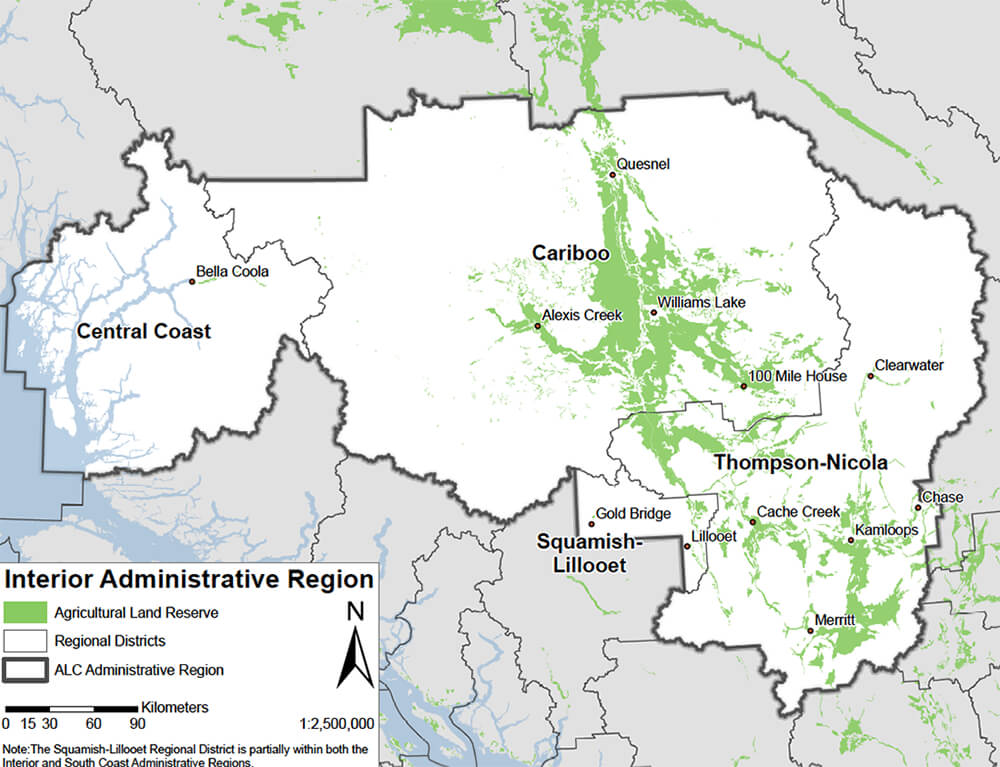
Interior Administrative Region
-
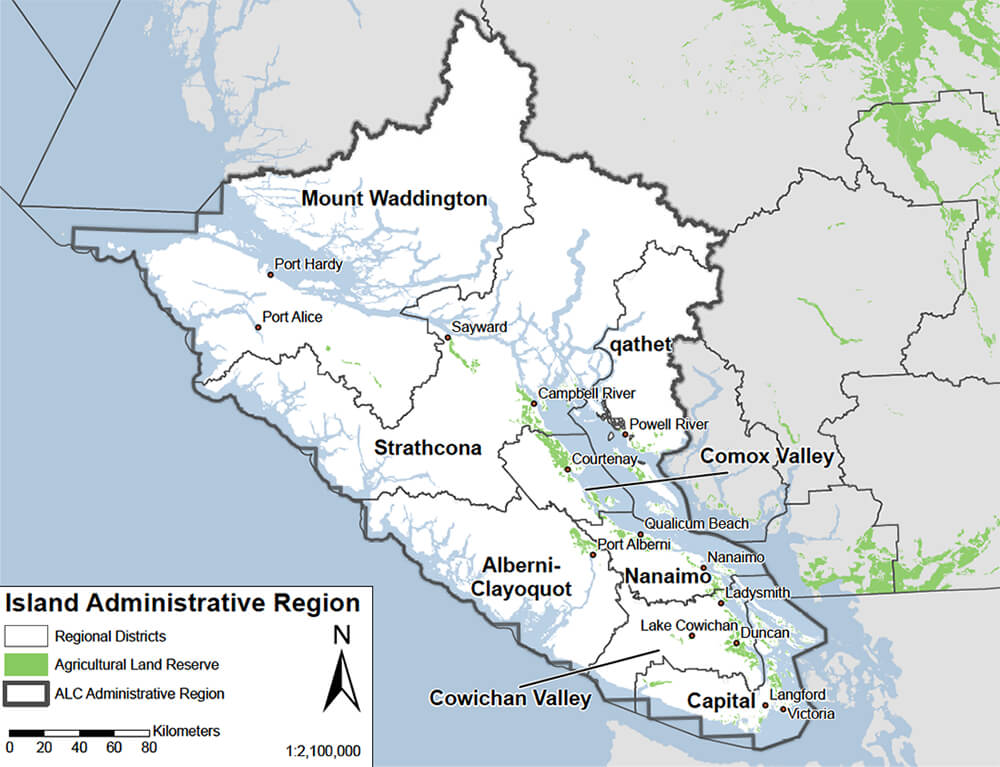
Island Administrative Region
-
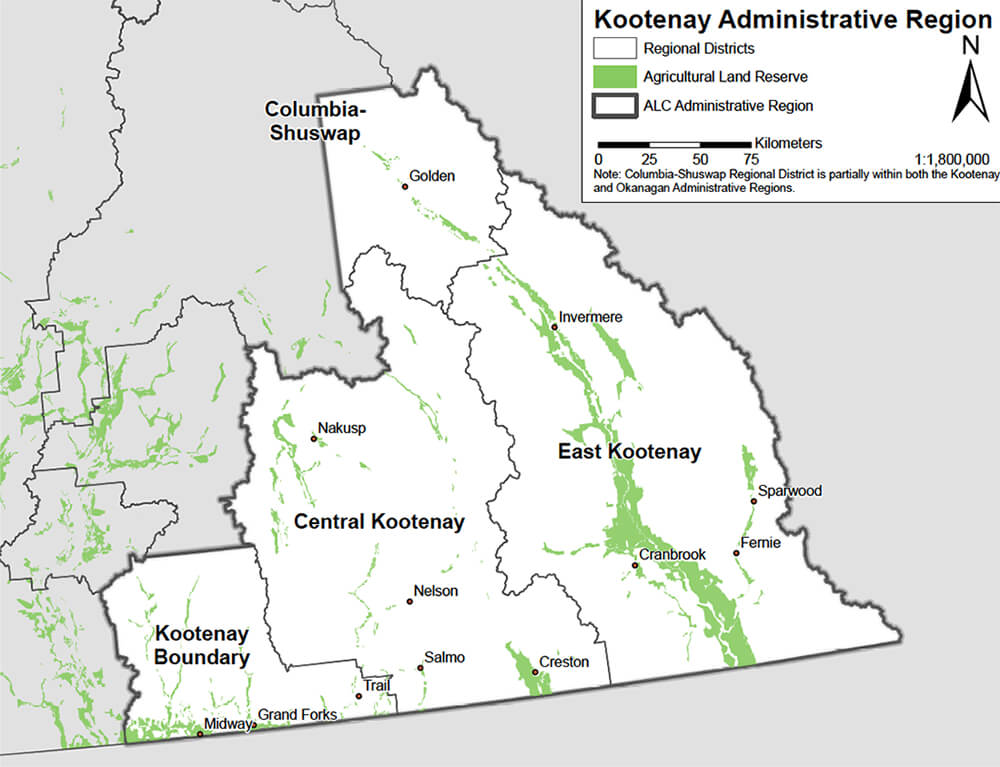
Kootenay Administrative Region
-
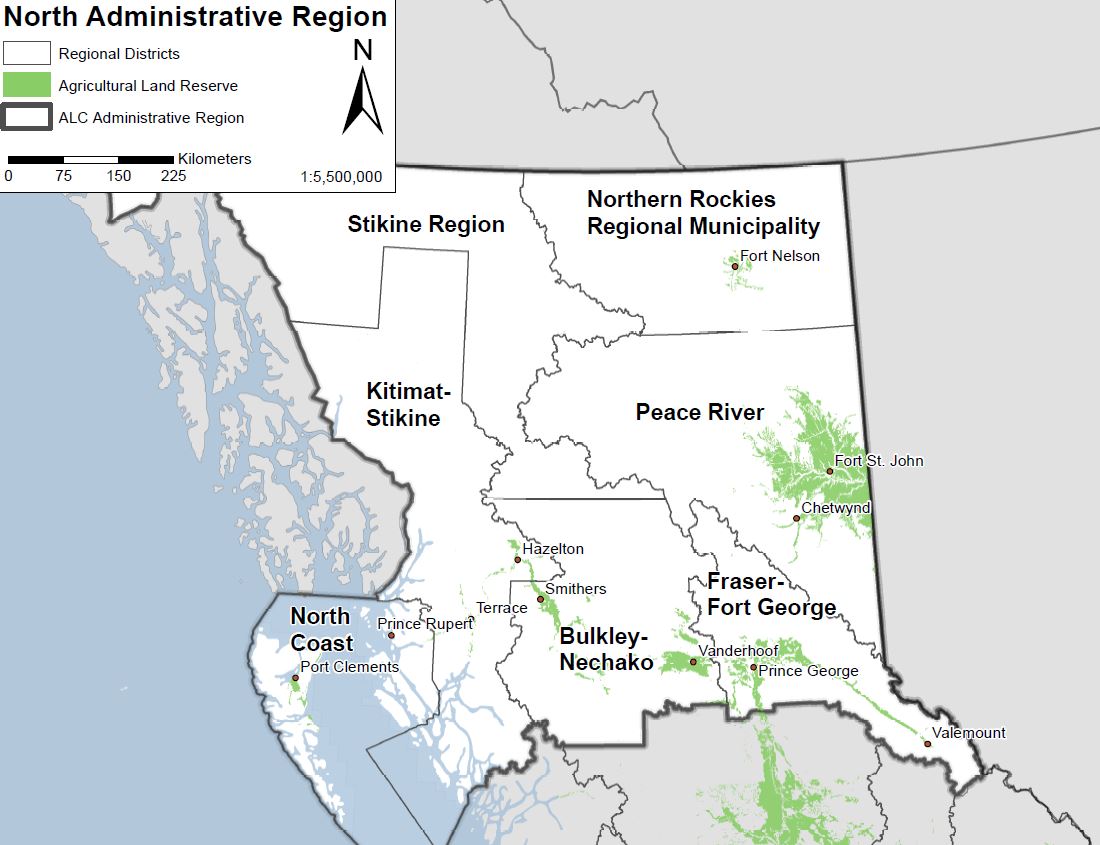
North Administrative Region
-
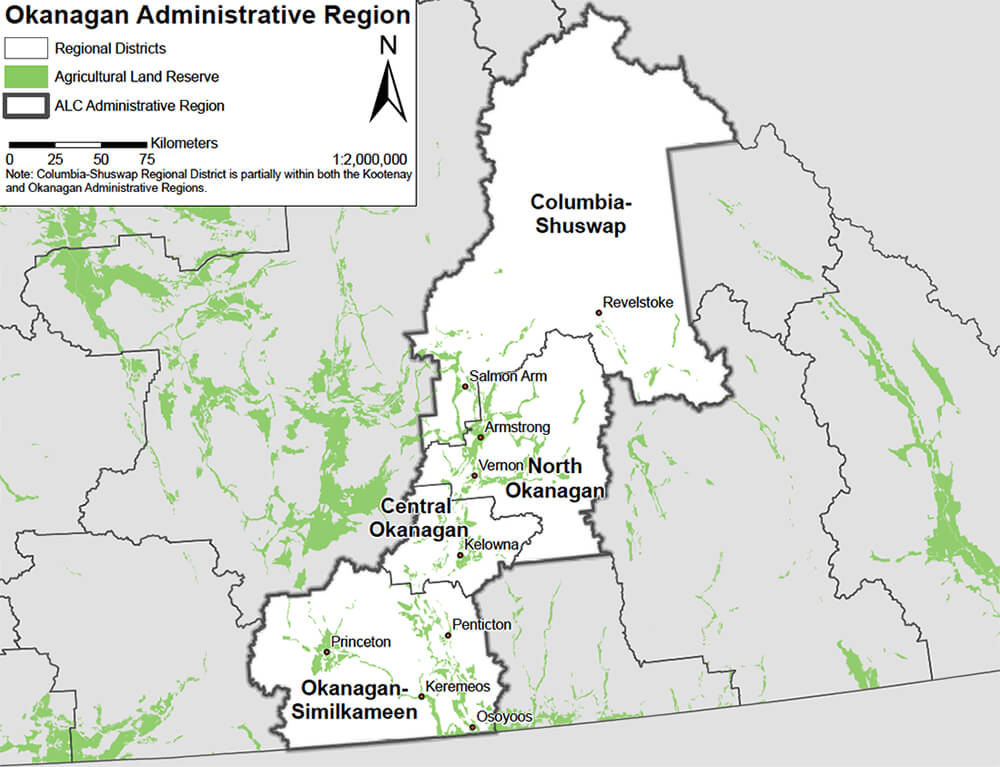
Okanagan Administrative Region
-
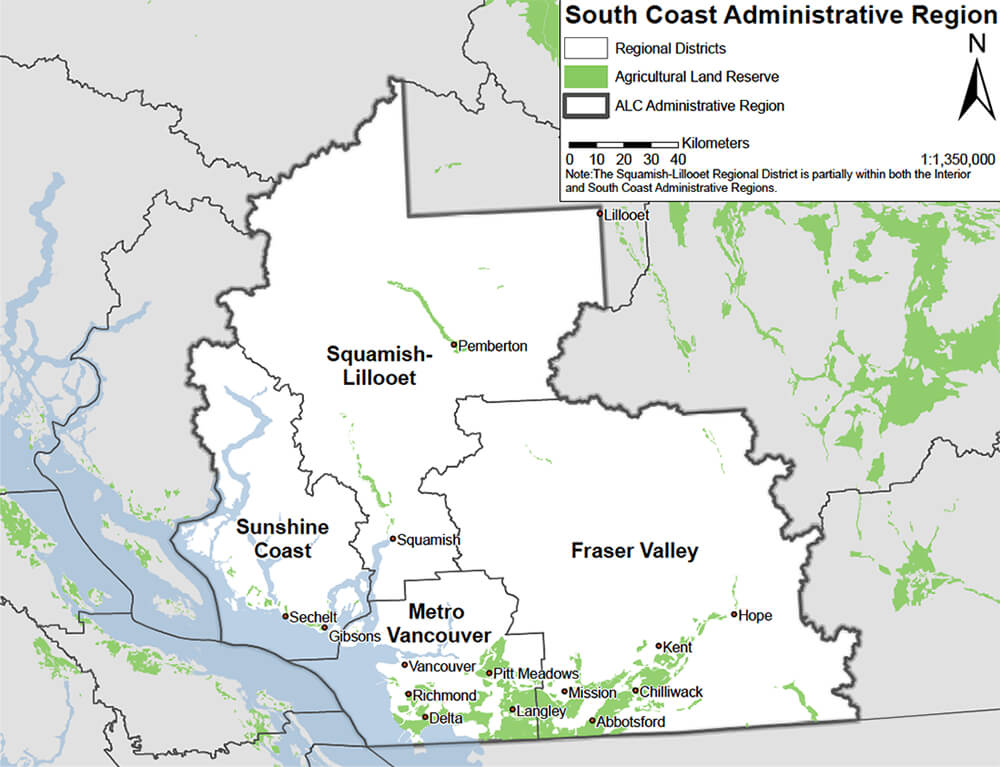
South Coast Administrative Region